


CrownPlay Casino - Registration and Login
If you want to jump into our slots, live tables, or sportsbook, you’ll first need a CrownPlay account, but don’t worry, the whole registration and login flow is designed to be quick, intuitive, and friendly, even if this is your very first online casino. You’ll move from landing on our homepage to spinning the reels or placing your first bet in just a few minutes, with clear prompts guiding you through each step so you never feel lost. We’ve kept everything consistent across desktop and mobile, which means once you understand how registration and login work on one device, you’ll feel right at home on any other device you use with us.
Getting Started at Crownplaya
When you arrive at CrownPlay, your journey basically starts with three simple actions: creating your account, confirming your email, and picking a welcome bonus that suits the way you like to play. You’ll see the Register and Log In buttons clearly at the top of the page, and our main banners highlight the current welcome offers, such as the casino welcome package with up to €3,000 in bonuses and 350 free spins plus a Bonus Crab pick. As soon as you click Register, we only ask for the minimum information needed to create your account and comply with legal requirements, which helps keep everything fast while still ticking all the important security and regulatory boxes.
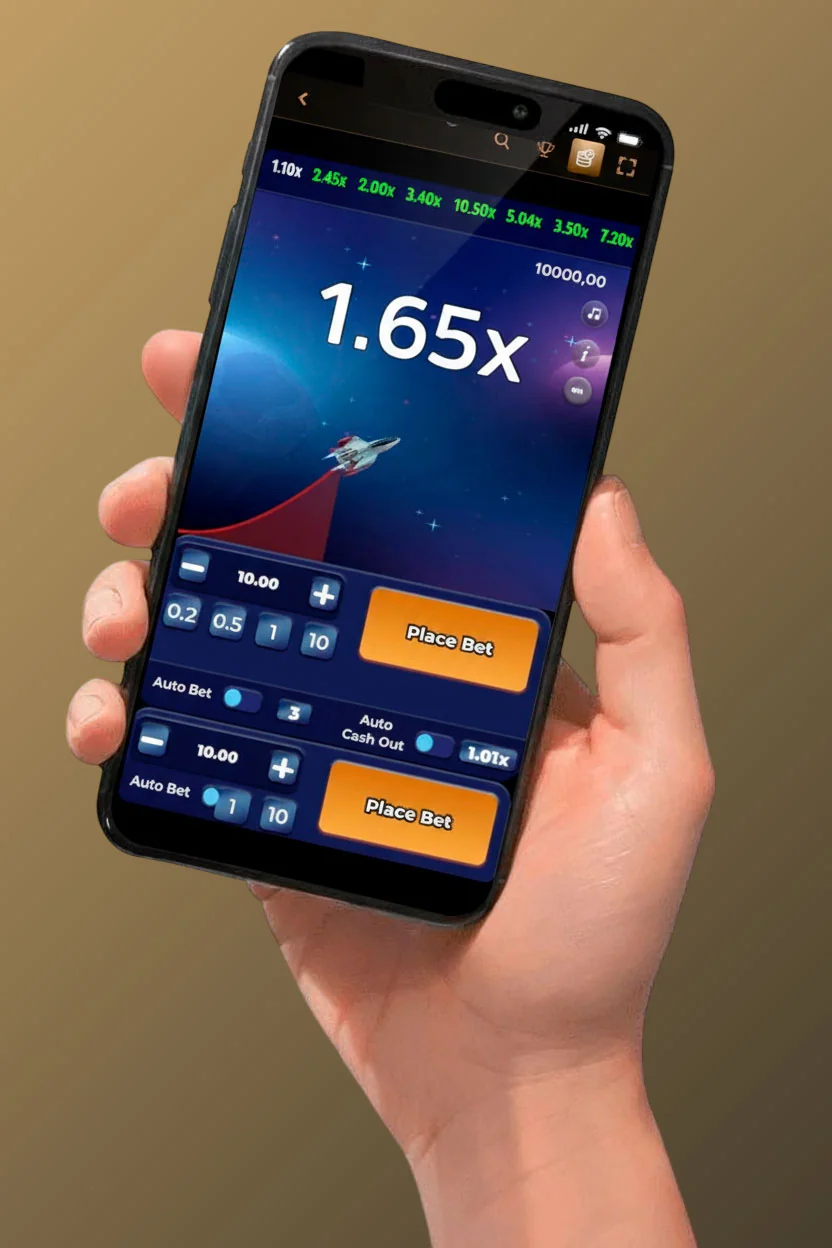
Once your account is created and your email verified, you can deposit straight away using cards, e-wallets, or crypto options listed in our Payments section, with minimum deposits generally starting at €20 for bonus activation and €10 for standard play. You don’t have to make big commitments to explore; you can start with a modest deposit, test a few slots in low stakes or try small sports bets, and only scale up if you like the experience. At any point, if you feel stuck or confused while getting started, you can open the live chat from the footer or the floating chat button, and our support team will walk you through registration, login, bonus choice, or anything else you might need.
How to Register Your Account
The registration process at CrownPlay is built to be as hassle-free as possible while still collecting the key details required under licensing and responsible gaming rules. You’ll always find the Register button at the top-right corner of the site, next to Log In, no matter which section you’re browsing, which makes it easy to start the process from the casino lobby, sportsbook, promotions page, or even the Help Centre. Once you click it, a clean, step-by-step registration window appears rather than redirecting you to a cluttered page, so you only see a few fields at a time and can double-check your inputs before moving on.
During registration, our system automatically detects your country and may pre-select the recommended currency (usually €), but you still have the flexibility to choose from available currencies for your account balance. This becomes important later when you claim bonuses or make withdrawals, because all limits and offers displayed will match the currency you selected at registration. As soon as you finish the final step and submit the form, your account is technically ready, but it’s the email verification step that fully unlocks smooth use of features like password recovery, bonus notifications, and certain payment actions.
Choose Welcome Bonus
Before you deposit for the first time, you’ll want to take a moment to decide which welcome offer fits your playstyle, because that first deposit can trigger very different bonuses depending on your choice. On the Promotions page and on the main homepage banners, you’ll see that CrownPlay’s main casino welcome offer is a package worth 250% up to €3,000 in total bonuses, plus 350 free spins and 1 Bonus Crab pick, which is ideal if you’re planning to spend most of your time in slots, Megaways titles, or live casino tables. If your main interest is sports betting, you can switch to the Sport Promotions tab and check the dedicated sportsbook bonuses mentioned there, which might include offers like deposit matches or cashback tied to sports activity.
The important thing here is that you normally select or confirm your preferred welcome bonus during or just after registration, and you must meet the minimum deposit requirement, usually €20, with an eligible method to get it credited. Deposits via certain e-wallets like Skrill or Neteller might be excluded from the welcome package, which is always clearly stated in the promo’s rules, so if you plan to grab the full casino bundle, it’s better to use a standard bank card or an eligible alternative for your first payments. We strongly recommend reading the key points of the welcome offer (bonus percentage, max amount, wagering, time limit, game contribution rules) on the bonus info popup so you can plan your play and not miss out by mistake.
Registration Process Steps
To keep things extra clear, here’s how the actual registration process usually flows from your perspective. First, you click Register at the top-right of any CrownPlay page, and a registration form appears asking for your email address, password, country, and preferred currency (for example, Euro), along with checkboxes confirming that you’re at least 18 and that you accept our Terms and Conditions and Privacy Policy. You submit this first step, and if everything looks good, your basic account is instantly created in the background, which means the system has reserved your credentials and profile.
Next, you’ll either be prompted to continue directly to your new account area or asked to complete missing details later when you go to deposit or withdraw, depending on the specific flow active for your country. In most cases, though, the next logical step is to go to your email inbox and look for a verification email from CrownPlay with a confirmation link. You click that link, your email is confirmed, and from that moment, you can log in, deposit, and start playing, while your profile page remains available to add additional optional details later if needed for KYC or tailored offers.
Required Information
As part of keeping things easy and privacy-conscious, CrownPlay only asks for the minimum set of personal data needed to open an account and meet licensing standards, and the rest can be provided later during verification when you’re ready to withdraw larger amounts. At sign-up at CrownPlay Casino, the crucial items are your valid email address, a secure password, your country of residence, your account currency, and an explicit confirmation that you’re over 18, since we’re only allowed to accept adult customers. Everything you enter is transmitted over an encrypted connection and stored according to privacy regulations, which means it’s not visible to other players or used for anything outside service provision, security, and legal obligations.
When you reach the CrownPlay verification stage later (for example, after significant wins), we’ll ask for extra details such as your full name, date of birth, home address, and KYC documents like ID and proof of address, but that part is separated from initial registration to keep onboarding smooth. You can always review and update certain fields in your profile if they were entered with a typo, but keep in mind that serious mismatches (for example, wrong birthdate) can delay verification, which is why it’s worth getting the basics right from the start.
Email Verification
Email verification is a small but crucial step in the CrownPlay registration flow, because it confirms that the email you used belongs to you and that you’re able to receive important communications. Right after you submit the registration form, we automatically send a verification email with a clickable link to the address you provided, and you’ll usually see it arrive within seconds or a couple of minutes. All you have to do is open that email, click the verification button or link, and our system will flag your account as confirmed, unlocking smoother access to bonuses, password recovery, and security alerts.
If you don’t see the email in your main inbox, we recommend checking your spam or promotions folders, since email providers sometimes filter automated messages, especially if you haven’t interacted with us yet. In your account area, you’ll often see an option to resend the verification email, which is handy if you accidentally deleted the first one or it expired after some time. If you realise you typed the email wrong at registration, the simplest fix is to contact our 24/7 live chat support, explain the situation, and our team can help correct the address or guide you through creating a proper new account and closing the incorrect one so you don’t end up with duplicates.
Logging Into Your Account
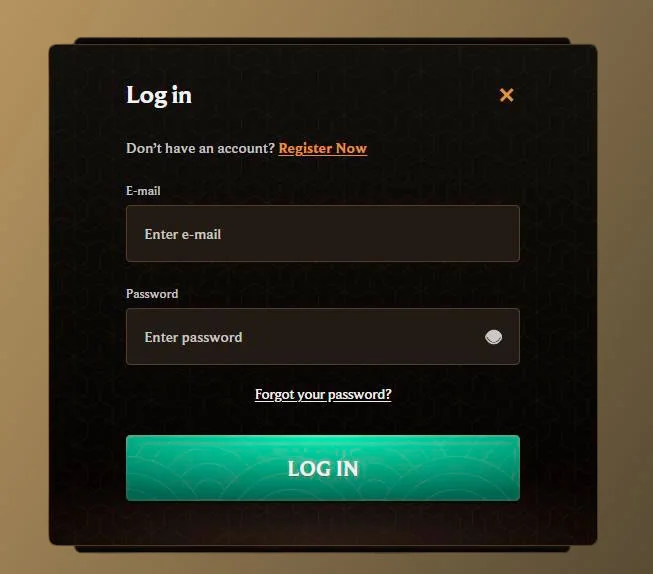
After you’ve registered and verified your email, logging into CrownPlay becomes something you can do in just a few clicks whenever you’re ready to play again. On every page of our website, you’ll see the Log In button anchored at the top-right corner, and you simply click it to open the Crown Play Casino login form, which requests your registered email and password. Once you enter the correct credentials and hit the login button, you’ll be taken straight into your account area with access to your balance, bonuses, games, and betting markets.
We use secure session handling to keep you logged in while you’re active, but we also time out inactive sessions to protect you in case you forget to log out on a shared device. The key thing to remember is that Crown Play Casino login credentials are personal, and sharing them with others is against our rules for both security and fairness reasons. If you suspect someone else might know your password, change it immediately and contact support if you see any strange activity on your account or transaction history.
Desktop Login
On desktop devices, logging in is straightforward, whether you’re using Chrome, Firefox, Edge, Safari, or another modern browser. You head to the CrownPlay homepage or any of our sections like Casino, Live Casino, or Sports, click Log In, and type your email and password exactly as you set them at registration. Some browsers offer to remember CrownPlay Casino login details for faster access later; if you’re on a personal computer that no one else uses, this can be convenient, but if you’re on a public or shared machine, it’s better to decline that and always log out after your session.
Once you’re logged in, you can use the main navigation to jump between 777 Casino, Live Casino, Jackpots, Sports, Live Betting, and Virtual Sports without needing to re-enter your details, as your login applies across the whole site. If at any point you want to sign out, you can open the profile menu (usually shown as your email or a user icon) and select Logout, which ends your session safely and returns you to the public view.
Mobile Device Login
On mobile, we keep the CrownPlay Casino login experience just as simple, but optimised for smaller screens and touch input so you can enter your details quickly and accurately. When you visit CrownPlay on your smartphone or tablet, you’ll see a responsive layout with the Log In button still accessible at the top of the screen or inside a compact header menu; tapping it opens a mobile-friendly login form where you can easily type your email and password with your on-screen keyboard. After logging in, you’ll notice that the game thumbnails, menus, and buttons are sized for touch, and you can move between casino, live casino, and sports with simple taps or swipes.
Many players also choose to create a home-screen shortcut to CrownPlay on their Android or iOS device, which makes accessing the login screen feel almost like opening a native app. Once the shortcut is saved, you tap the icon, the site opens in a full-screen mode or browser tab, and you can log in, check your balance, and place bets in seconds, even if you’re on the move, commuting, or watching a match with friends.
Password Recovery Options
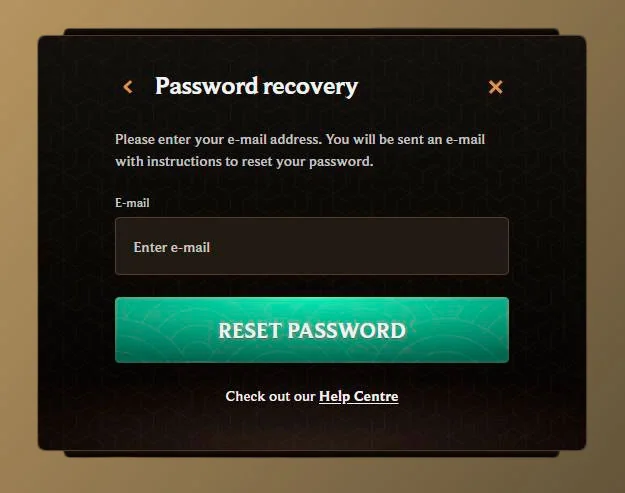
If you ever hit a moment where your password slips your mind, or you suspect you might have mistyped it too many times, you can use the built-in password recovery feature instead of trying random combinations. Right below or near the login form, you’ll see a “Forgot Password” or similar link, and tapping or clicking that takes you to a page where you enter your registered email so we can send you a secure reset link. After you submit the email, check your inbox for a password reset message from CrownPlay. Click the link inside, and you’ll be able to choose a new password that meets our security requirements.
It’s a good idea to choose a password that’s unique to CrownPlay rather than something you use for lots of other sites, and you should avoid sharing it or storing it in easily accessible places. If you don’t receive the reset email or you no longer have access to the email address you registered with, our support team can help recover your account by verifying your identity through additional questions or documents, which ensures that access is returned only to the rightful owner.
Account Security Features
Account security is one of those things you don’t really want to think about all the time, but you definitely want it to be solid in the background while you’re playing, and that’s exactly how we’ve set it up at CrownPlay. All communication between your browser or mobile device and our servers is protected by SSL encryption, which prevents third parties from reading your login data or payment details as they travel over the internet. On top of that, we apply security checks on logins, payments, and withdrawals, and we may ask for extra verification when something looks unusual, not to annoy you, but to ensure that your account and balance stay safe.
We also operate under licensing and regulatory obligations that require us to handle your personal data carefully, keep logs of certain actions for fraud prevention, and protect against money laundering, which is why features like KYC verification and transaction monitoring exist in the first place. While these things sometimes add an extra step to a withdrawal or account change, they’re a big part of what makes CrownPlay a safer place to play compared to unlicensed or under-regulated sites.
Secure Login Protection
Every login session on CrownPlay is conducted over HTTPS, and our servers are configured to use modern encryption standards and security headers, which makes it extremely difficult for anyone to intercept or tamper with your data. On our side, we store your password in a secure, hashed form rather than as plain text, which means that even internally, nobody can just “read” your password directly. If we detect a pattern of failed login attempts or logins from unusual countries or devices, our systems may temporarily slow down attempts or require extra checks, which can feel like a minor inconvenience but is actually protecting you from brute-force or unauthorised access attempts.
You can help strengthen this protection by picking a strong password (using a mix of letters, numbers, and symbols), not reusing passwords from other websites, and logging out after your session, especially on public computers. If you ever notice any unexpected emails about logins you don’t recognise, changes to your details, or withdrawals you didn’t request, you should contact our support immediately so they can freeze activity and investigate.
Multi-Language Support
Since CrownPlay is open to players from multiple regions, the interface and many of CrownPlay's help materials, including registration and login instructions, are available in multiple languages. You can switch the language using the selector in the footer or navigation, and once you change it, key pages like About Us, Help Centre, Payments, Responsible Gaming, and Promotions will be displayed in the language you’ve chosen, making it easier to understand the fine print and instructions. This is especially useful when you’re reading about important topics like bonus rules, withdrawal limits, and verification requirements, where clarity is crucial.
Our Help Centre and live chat also support different languages depending on availability, so if English isn’t your strongest language, you can often get assistance in another language you’re more comfortable with. This combination of language support and clear step-by-step flows helps make registration and login accessible and understandable for a wide player base, which is exactly what we aim for.