


CrownPlay Casino - Mobile App
You want to bet, spin, and cash out on the go without fighting slow pages or half-baked mobile versions, right? That is exactly what our CrownPlay mobile experience is built for, with the full casino and sportsbook packed into a fast browser platform that feels very close to a standalone CrownPlay app.
Whether you are into slots, live tables, football accumulators, or daily challenges, you can do it all from your phone or tablet, keep the same account and balance, and even pin CrownPlay to your home screen for one tap access.
About CrownPlay Mobile Experience
Here is the thing: CrownPlay is not a “shrunken” desktop site; it is a fully responsive platform built to work smoothly on modern smartphones and tablets. You get the same core sections you see on desktop, including Casino, Live Casino, Jackpots, Sports, Live Betting, Virtual Sports, Challenges, Tournaments, Bonus Crab, Shop, and VIP Levels, all optimised for smaller screens.
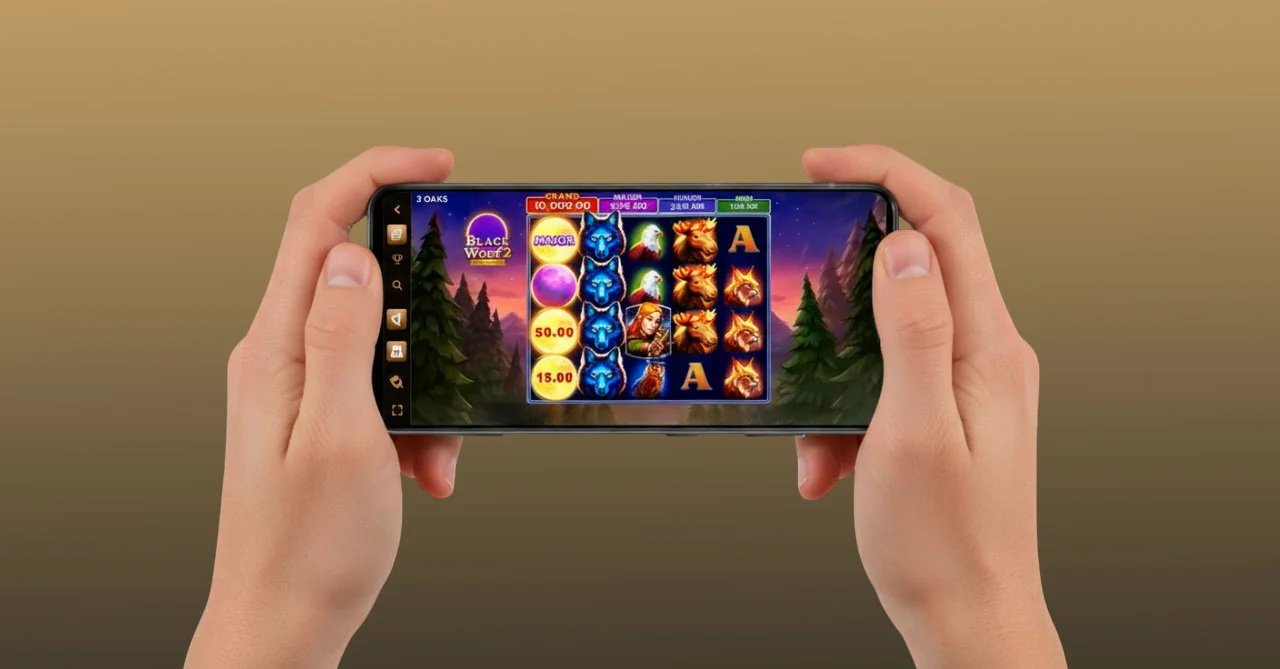
The interface adapts automatically to your device, so menus, buttons, and game tiles resize and reposition in a way that is comfortable to tap with your thumb. You can scroll through game rows, filter by categories, open promos, and launch games in portrait or landscape mode without losing readability or functionality.
Another big plus is that you do not lose sight of what matters; the navigation menu and key shortcuts stay accessible, so jumping between casino and sportsbook, or from Shop to Challenges, takes just a couple of taps. You also see banners for top promos right in the mobile layout, such as the 250% up to €3,000 casino welcome package, tournaments with prize pools up to 6,000,000, or Coin exchange deals in the Shop.
Accessing CrownPlay on Mobile Devices
Now, let’s talk about how you actually get into CrownPlay from your phone. You do not need to visit app stores or install a separate CrownPlay APK; you simply open your mobile browser, type our web address, and the site automatically loads the mobile-friendly version.
The moment you land, you will see familiar elements: the CrownPlay logo at the top, “Log in” and “Register” buttons, a search bar for games and providers, and the main navigation that leads you to Casino, Live Casino, Jackpots, Sports, Live Betting, Virtual Sports, Challenges, Tournaments, Bonus Crab, Shop, and VIP Levels. This structure is mirrored from the desktop, so there is no learning curve when you switch devices.
Our mobile pages are built to handle frequent navigation and game launching, so you can move between categories like Top, New, Popular, Exclusive, Bonus Buys, Megaways, and Live Games without long reloads. On the sportsbook side, you jump between top leagues, live events, and esports in the same way, using tabs like “All Sports”, “Live Now”, and filters such as 3h, 6h, 24h, and “Tomorrow” to narrow down events.
Browser-Based Mobile Platform
Let’s dig into the browser experience in more detail, because that is your main CrownPlay “mobile app” here. The layout relies on cards and sliders that work well with touch input, so instead of tiny text links, you scroll through big tiles that showcase promotions, top games, and featured sports highlights.
For the casino, you can:
- Browse by curated rows like Top, New, Popular, Exclusive, Bonus Buys, Live Games, Megaways, Instant Games, Slots, and Table Games using a sequence of tabs and filters.
- Use the search bar to type a game name or provider, which is especially handy on mobile when you already know what you want to play.
- Tap directly into sections like Jackpots, Live Casino, or specific game families such as roulette or blackjack via the footer navigation.
For sports, the mobile interface offers:
- A clear “Sports” hub where you see categories like football, tennis, basketball, ice hockey, American football, table tennis, volleyball, esports, and more, with event lists tailored to your selected sport.
- A “Live Betting” area where in-play odds update constantly, letting you place bets while events are ongoing, directly from your phone.
- Support tools such as Bet Mentor and boosted odds blocks, shown in the same feed as fixtures, so you can quickly pick enhanced selections.
All of this is served directly from the browser, so you are always on the latest version with no additional updates to install. That is a big plus if you hate manual app updates or if your device storage is tight.
Creating Desktop Shortcut for Quick Access
If you want CrownPlay to behave like a dedicated mobile app, the shortcut feature is your best friend. The idea is simple, you turn our mobile site into an icon on your home screen that opens in what feels like app mode.
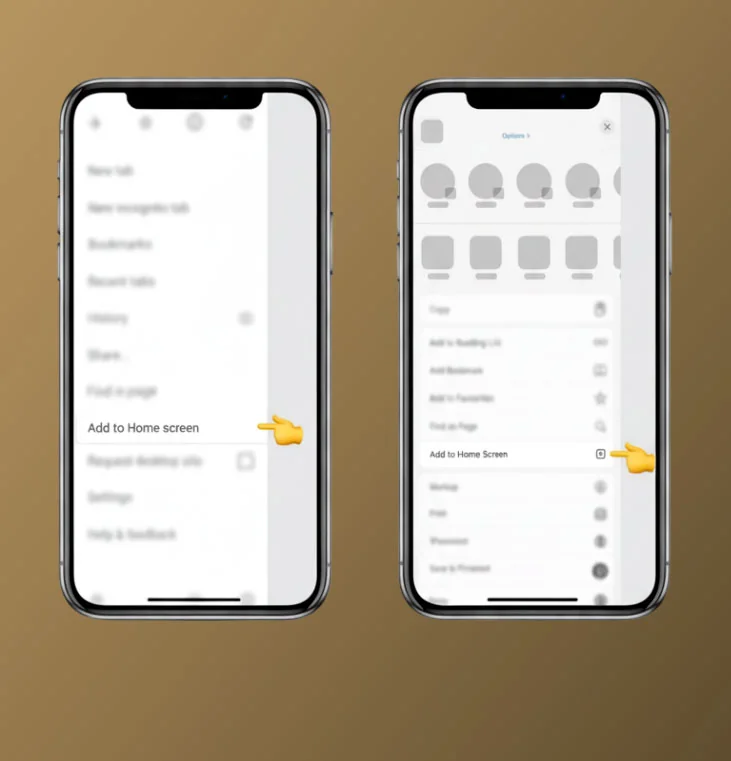
On Android devices, the flow is:
- Open our site in your mobile browser, typically Chrome.
- Tap the menu icon (three dots in the upper right corner).
- Scroll the menu and tap “Add to Home screen”.
- Choose the name for your shortcut, then confirm, and the icon appears on your home screen.
On iOS with Safari, the steps are:
- Open our site in Safari on your iPhone or iPad.
- Tap the share icon with the arrow pointing up from a box.
- Scroll the options and tap “Add to Home Screen”.
- Edit the name if you want, then tap “Add” and the shortcut lands on your home screen.
Once that is done, you just tap the CrownPlay icon like a normal app, and the site opens instantly, without typing the URL or searching your browser history. It is a small tweak, but it makes mobile sessions feel far more “app-like” and keeps CrownPlay one thumb press away whenever you are in the mood to play.
Mobile Registration and Login Process
Now, you probably want to know how much hassle it is to sign up or sign back in from mobile. The short answer is, not much at all, since the registration and login functions sit right at the top of the mobile layout and are always visible.
From the moment you land on the home page, you will see “Log in” and “Register” buttons; tapping either opens a mobile-friendly form or pop-up that guides you through the steps. The whole flow is designed around touch usage, so fields are large enough to tap accurately, and texts are spaced so you can read them clearly even on smaller screens.
Direct links to About Us, Help Centre, and Terms and Conditions are also available in the footer, so if you want to double-check license information, bonus rules, or responsible gaming tools before or after registration, you can do it without leaving your mobile browser.
Quick Registration on Mobile
Let’s break down what “quick registration” actually means on our side. In our main information pages, registration is described as simple and pain-free, and that applies to mobile just as much as to desktop.
On your phone, you:
- Tap “Register” in the header, which opens a registration flow asking for your key details.
- Follow the on-screen steps, which typically include personal info, contact details, and account preferences, all shown in a concise format.
- Confirm your agreement with the Terms and Conditions and relevant policies, which are accessible via mobile links at the bottom of the form.
Once your account is created, you get instant access to the full platform, including casino, live casino, sportsbook, challenges, and tournaments. Deposits are then made through the same mobile interface, with payment methods like bank cards and other supported systems shown via the Payments area, which you can reach from the footer navigation or dedicated pages.
The big plus is that you only ever need a single account; there is no separate mobile profile. When you later log in on desktop, everything from your mobile registration carries across, including your balance, bonuses, and activity history.
Logging Into Your Account
Logging into CrownPlay on mobile is just as clean. You tap “Log in”, enter your credentials in the mobile form, and confirm. Once you are in, the site remembers your session, so you can navigate between pages like Casino, Sports, VIP Levels, or Shop without constantly re-entering your details.
If you forget your password, the recovery option is accessible from the login screen, and you can complete the process entirely on your phone. After you are back in, your previous sessions, bets, and promotions remain attached to your account, since everything is synced across devices.
Here is a quick snapshot of how registration and login stack up on mobile:
| Step | What you do on mobile | Extra help available |
| Registration | Tap Register, fill fields, accept terms | Help Centre & Live Chat links |
| Login | Tap Log in, enter email/username and password | Forgot password flow |
| After login | Access casino, sports, promos, Shop, VIP | Same wallet and bonuses as desktop |
If you ever feel stuck during registration or login on your phone, the Live Chat button and Help Centre are just a scroll away in the mobile footer, so support is never out of reach.
Games Available on Mobile
Here is the thing: some sites cut their game list for mobile users, but that is not the vibe at CrownPlay. Our mobile “app” lobby gives you access to a huge collection of slots, table games, Aviator, live casino titles, and a full sportsbook, all structured through filters and tabs that work just as well on your phone as on desktop.
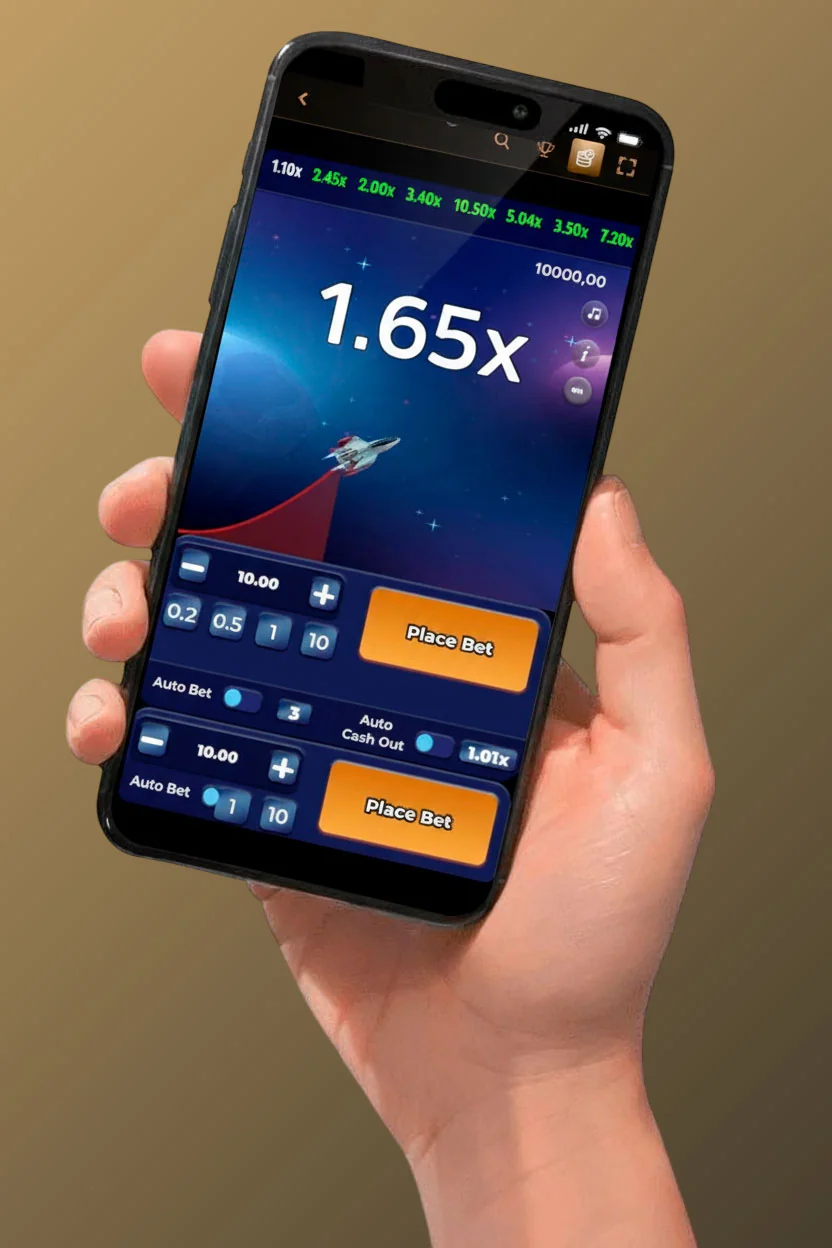
You can browse Top, New, Popular, Exclusive, Bonus Buys, Live Games, Megaways, Instant Games, Slots, and Table Games, then launch any compatible title directly in your browser. The games themselves are built by providers who support HTML5, which means they adapt to mobile screens automatically and keep buttons large and controls intuitive.
On top of classic casino, you also have tournament lobbies, challenges, virtual sports, and Bonus Crab accessible from mobile, so the more gamified features of CrownPlay are not locked behind a desktop-only experience.
Casino Slots and Table Games
Let’s start with slots, because if you love spinning reels, the mobile catalogue is stacked. In the casino game hall, you will see categories like Slots, Megaways, Bonus Buys, and Popular, each filled with many games, and you can swipe through rows of titles to pick what looks fun.
Some key comforts for you on mobile slots:
- The search bar lets you jump straight to a specific game instead of scrolling forever.
- Providers are grouped, so if you prefer a certain studio’s style, you can filter accordingly.
- The interface ensures spin, bet size, and features buttons are big enough to tap, even when you are playing one-handed.
Table games are equally accessible, with a dedicated Table Games section that includes roulette, blackjack, baccarat, various poker variants, and more. You can choose between classic versions and themed tables, as well as American, French, and European roulette wheels, depending on how you like your odds and layout.
Every table game UI is adapted for touch controls:
- Chip selection is typically done via tappable chip icons.
- Action buttons like “Hit”, “Stand”, or “Spin” are placed at the bottom or sides of the screen where your thumbs naturally rest.
- Number layouts in roulette and betting grids in card games are scaled up for mobile clarity.
So if you enjoy strategy-heavy games on the go, playing them on your phone feels natural rather than cramped.
Live Casino on Mobile
If you are into live dealers, CrownPlay’s mobile live casino gives you the full show, not a downsized version. You can enter Live Club Royal, Live Baccarat, Live Blackjack, Live Roulette, and many more live tables, along with game shows and international tables, directly from the Live Casino menu on your phone.
The live interface balances video and controls so you can:
- Watch the dealer and table action in a responsive video window.
- Place bets via simplified chips and bet spots at the bottom of the screen.
- Switch camera angles or tables with a couple of taps, without leaving the live lobby.
The idea is to keep the authentic casino atmosphere, the sound of spinning roulette wheels, card shuffles, and dealer commentary, while still giving you smooth navigation on a small screen. So you can be on your couch, on a break, or commuting, and still feel like you are sitting at a real table.
Sports Betting and Virtual Sports
Sports fans are not left out at all. The mobile sportsbook offers a full menu of events and markets, including football, basketball, tennis, ice hockey, American football, table tennis, volleyball, MMA, cricket, golf, horse racing, esports, and many other sports.
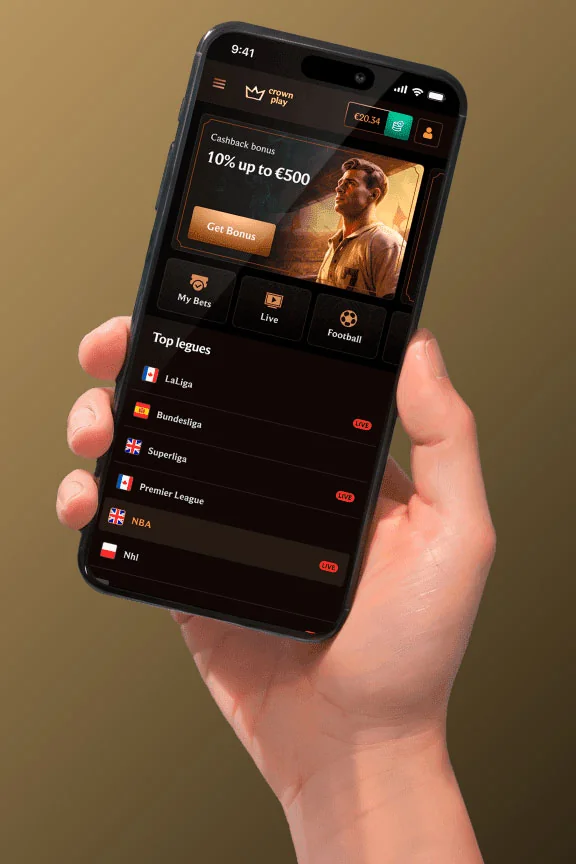
On mobile sports, you can:
- Browse live events with dynamic odds and quick bet placement.
- Use filters like “All Today”, 3h/6h/24h windows, and “Tomorrow” to focus only on the timeframe you care about.
- Check top leagues such as the Premier League, LaLiga, Serie A, Bundesliga, and main international competitions from the same mobile interface.
Esports and virtual sports are also available in the mobile layout, with sections that cover FIFA-style matches, esports tournaments, and virtual contests like virtual basketball or football. These are particularly handy if you like high-frequency betting with shorter event cycles that fit perfectly into a mobile session.
Benefits of Mobile Platform
Now, why use the CrownPlay mobile platform instead of just waiting until you are at a laptop? The clear benefit is flexibility; you can join tournaments, play slots, or place a bet exactly when the urge hits, not hours later.
Because the site is “fully mobile”, that means you are not limited to a fraction of the content; you get casino games, live games, jackpots, sports, live betting, virtual sports, Challenges, Shop deals, Bonus Crab, and VIP progression all tied to your single account and accessible in your smartphone browser.
Another standout benefit is that promotions are not desktop-only. You can claim the casino welcome package, weekend and weekly reloads, cashback, sports reloads, prize drop campaigns like Kash Drops, and sweet themed events directly from mobile. Tournaments like “Join our Tournaments – win 6,000,000!” and challenges that award Coins are also fully visible and joinable on phones.
Here is a quick list of the big advantages you get when you go mobile with CrownPlay:
- Full feature set: Casino, Live Casino, Jackpots, Sports, Virtual Sports, Challenges, Tournaments, Bonus Crab, Shop, and VIP Levels all work on mobile.
- Single wallet: One account and one balance across desktop and mobile, so no syncing issues.
- No app install: Everything runs via your standard mobile browser, saving storage and avoiding update hassle.
- Home screen shortcut: Android and iOS shortcuts give you near app-like one-tap access.
- Promo parity: Welcome package, reloads, cashback, tournaments, and Coin rewards are all claimable and playable via mobile.
- 24/7 support: Help Centre and Live Chat links are available on mobile for quick assistance.
From our side, the bottom line is simple: we want you to feel like the “mobile version” is not a downgrade but just another way to reach the same full CrownPlay environment you have on desktop.